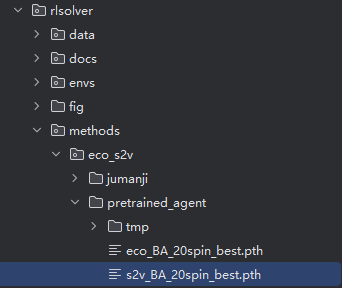
Training
RLSolver makes it easy to get started — no separate training scripts are needed for conventional methods. You can run the provided solvers directly on well-prepared datasets.
For more details about available datasets, see the README.md.
In this guide, we walk through the full pipeline using the eeco method on 20-node Barabási–Albert (BA) graphs.
In the following, take the RL method eeco (an improvement of ECO-DQN: Exploratory Combinatorial Optimization with Reinforcement Learning <https://aaai.org/ojs/index.php/AAAI/article/view/5723>) as an example, which support parallel environments. Users also can run other RL methods such as eco and s2v, but they only support one single environment.
During training, the reinforcement learning agent explores how graph structures relate to optimal (or near-optimal) solutions such as maximum cuts. Through repeated trial and reward, it gradually learns a general strategy that can be applied to new, unseen graphs with similar characteristics.
Set basic config:
ALG = Alg.eeco                                   # select eeco as the RL method. Users also can set it as eco or s2v.
GRAPH_TYPE = GraphType.BA                       # use BA (Barabási–Albert) graph distribution
NUM_TRAIN_NODES = 20                            # each training graph has 20 nodes
TRAIN_INFERENCE = 0                             # 0 = train mode; 1 = inference mode
NUM_TRAIN_SIMS = 64                             # number of parallel environments
Run training:
Run rlsolver/methods/eco_s2v/main.py.
python rlsolver/methods/eco_s2v/main.pyThis will generate a folder: rlsolver/methods/eco_s2v/pretrained_agent/tmp/eeco_BA_20spin_b/
Inside this folder, multiple .pth model snapshots will be saved over time.
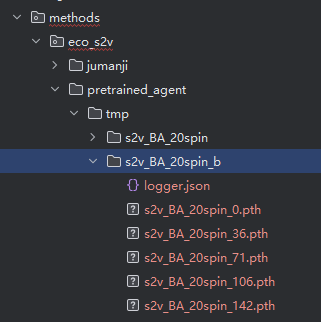
Select the best model from this folder:
Edit rlsolver/methods/eco_s2v/config.py.
Find the line:
NEURAL_NETWORK_SUBFOLDER = "eeco_BA_20spin_s"
To select a different model folder, set the param
NEURAL_NETWORK_SUBFOLDERusing the name of the desired folder. For example:NEURAL_NETWORK_SUBFOLDER = "eeco_BA_20spin_b"
Then run: rlsolver/methods/eco_s2v/train_and_inference/select_best_neural_network.py.
python rlsolver/methods/eco_s2v/train_and_inference/select_best_neural_network.pyIt will generate a file like: eeco_BA_20spin_1033_best.pth
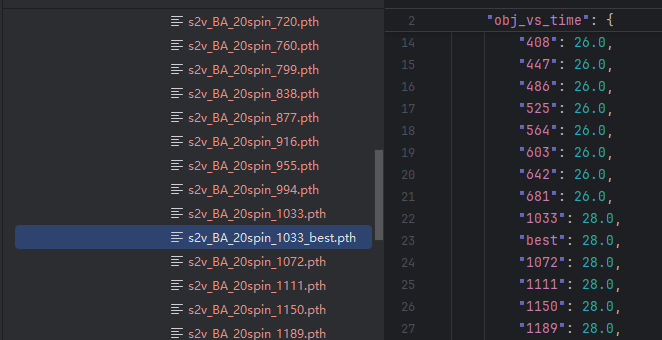
Rename and move the best model:
eeco_BA_20spin_best.pth → rlsolver/methods/eco_s2v/pretrained_agent/